Embedding Editable and Executable R Code into Slides using Quarto

Grace Tompkins, Assistant Professor of Teaching

October 20, 2026

Motivation

Motivation

  • My first course assigned at UBC was DSCI 100

  • Slides were built using RISE/JupyterHub

    • Allowed instructors to run code in the slides (cool! 😃)

    • Connected with GitHub (great for collaboration across 5+ instructors 😃)

Motivation

  • My first course assigned at UBC was DSCI 100

  • Slides were built using RISE/JupyterHub

    • Students could not code in the slides ☹️

    • Couldn’t easily control text and image size ☹️

    • Generally a pain to edit and present with ☹️

    • Terrible (in my opinion) user interface ☹️

Motivation

Text size at 100% zoom

Motivation

Images after zooming to an appropriate size for the text
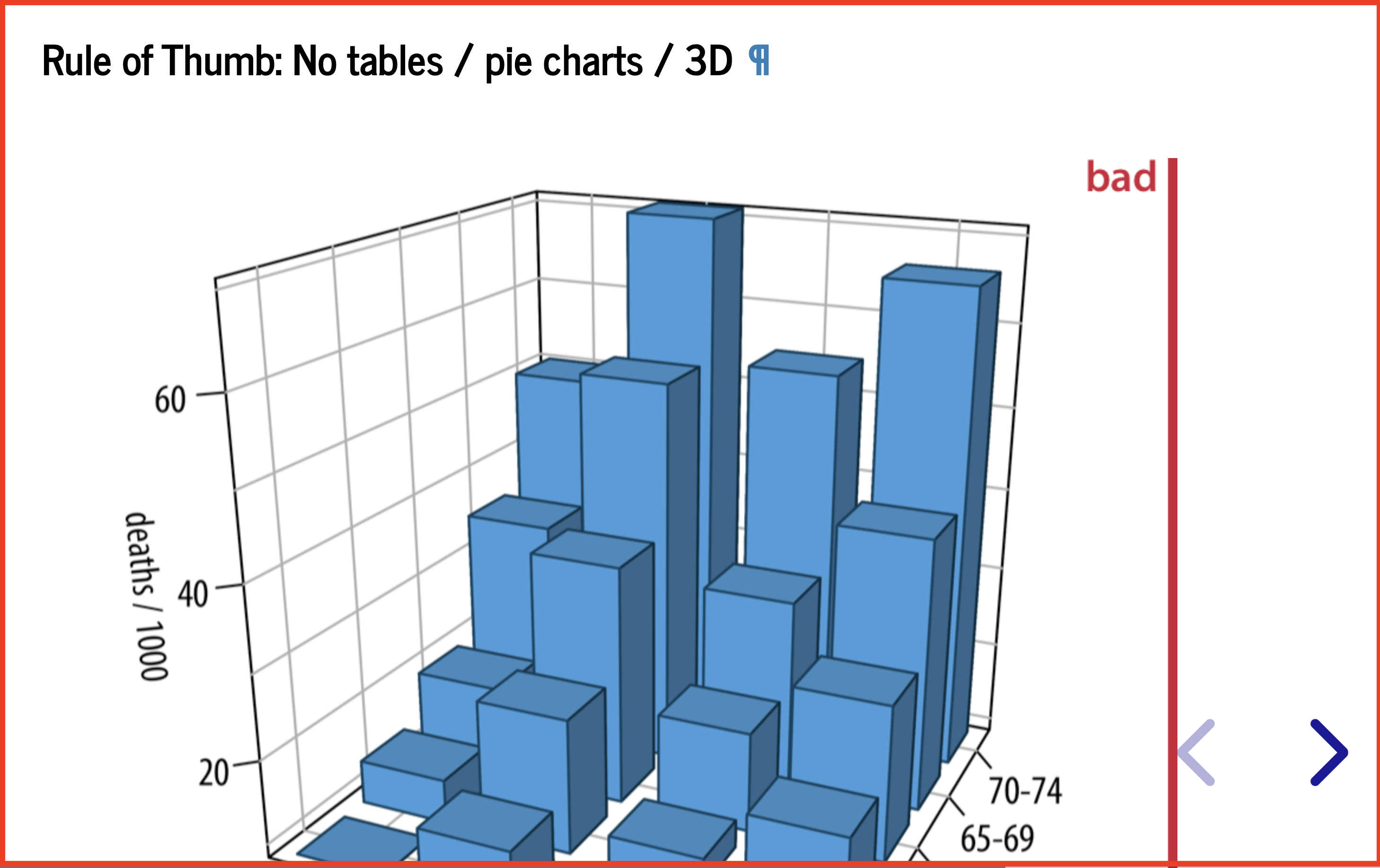
Motivation

Quarto (a next-generation version of RMarkdown launched by Posit in 2022) provided an opportunity to remove many of these pain points.

  • Similar syntax to RMarkdown/RISE

  • Options for custom css styling

  • Easy webpage dev with GitHub pages

  • Extensions for slides, live coding (both end users)

Example

Quarto Slides in STAT 545

STAT545 Lecture Slides on Data Visualization

Features:

  • Live code blocks with scaffolding

  • Scrollable slides

  • Hidden code for generating data sets (gapminder_2026)

  • Tip boxes, links, stylized text, images

Demo

Prerequisites

Let’s build a minimal, reproducible course website with a slide deck!

If you’d like to follow along, you’ll need:

  • RStudio (or Positron) with Quarto installed

  • a GitHub account

Step 1: Create a Quarto project

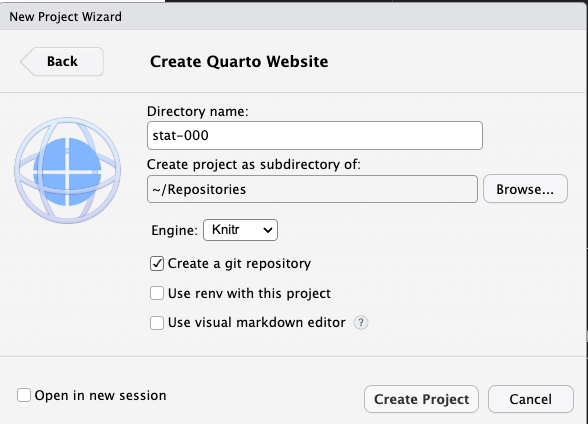
  • Go to File > New Project > New Directory > Quarto Website
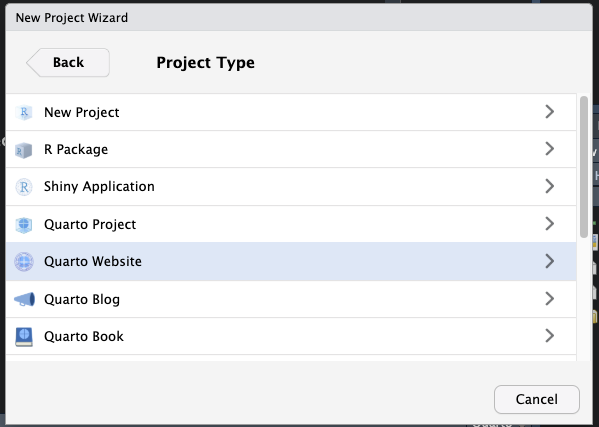
Figure 1: Quarto Project Set Up

Step 2: Set up the website

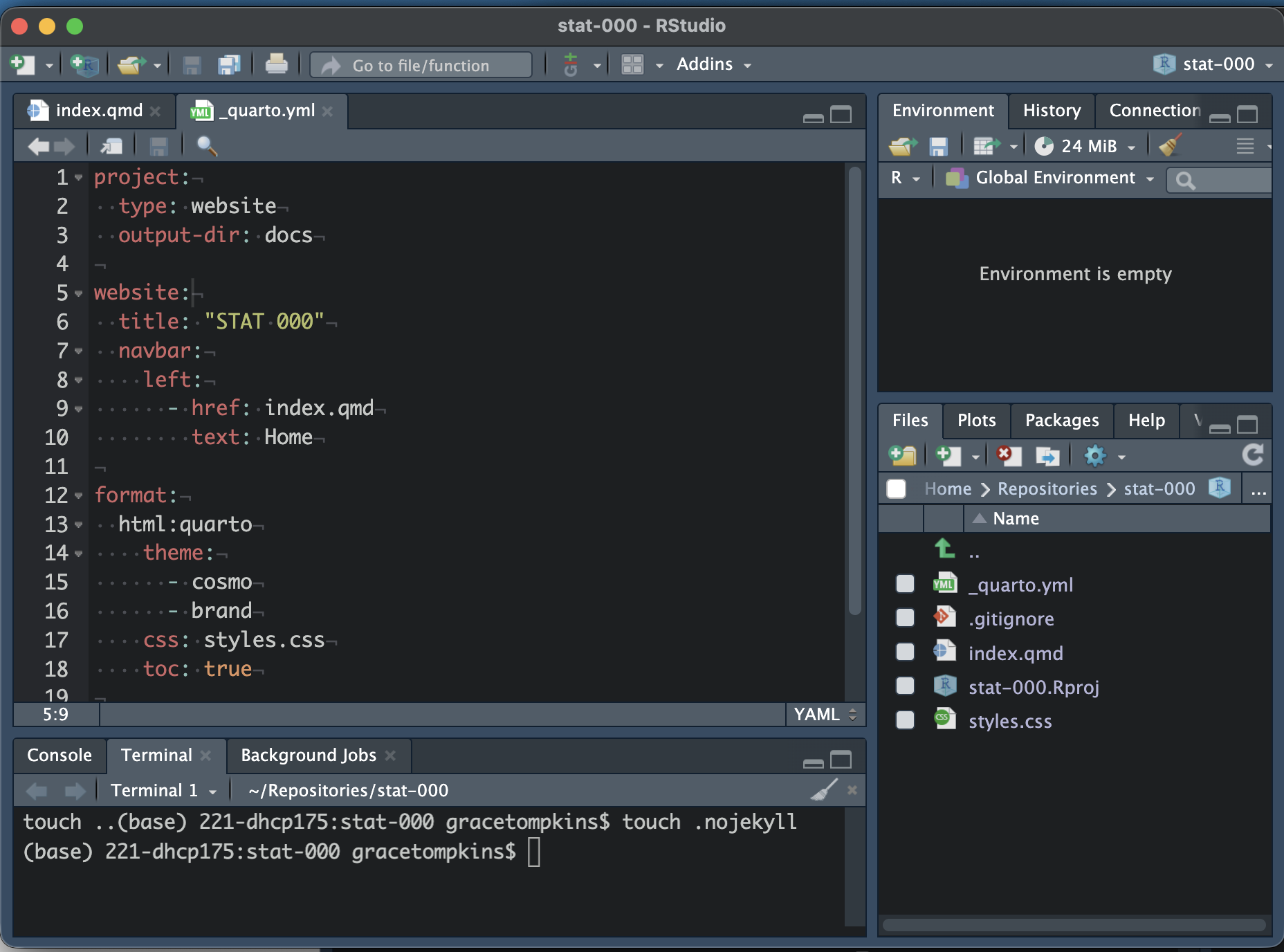
  • Before doing anything, remove the Jekyll template by running touch .nojekyll in the terminal

Step 2: Set up the website

Pages:

  • index.qmd is the homepage.

    • Do not rename, but you can edit the contents!
  • about.qmd is another page.

    • You can rename/delete/edit this (I will delete)

Step 2: Set up the website

Pages:

  • _quarto.yml is used to organize and set up the website.

    • Do not rename.

    • I am adding output-dir: docs to the project section

Step 3: Add some slides

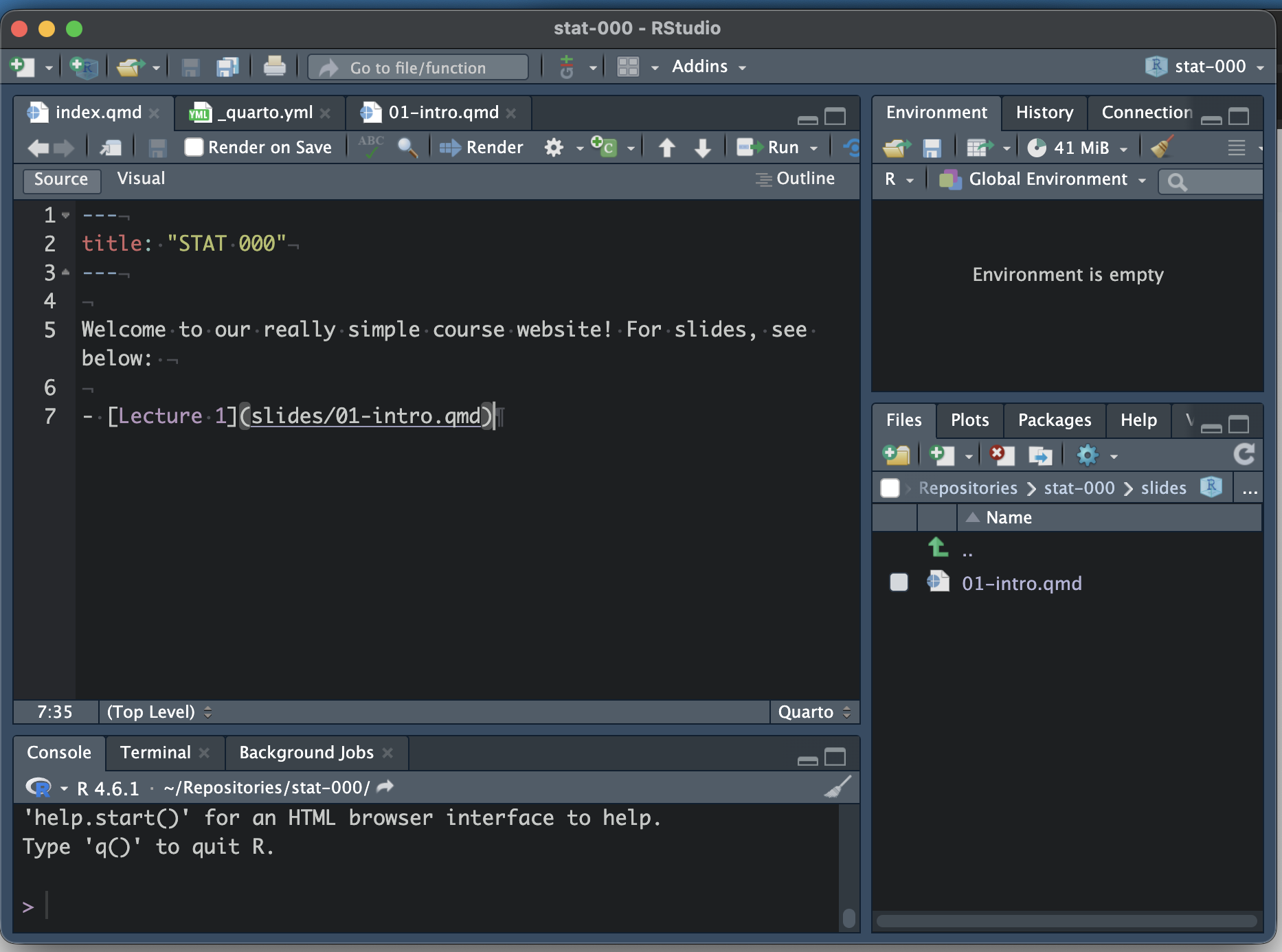
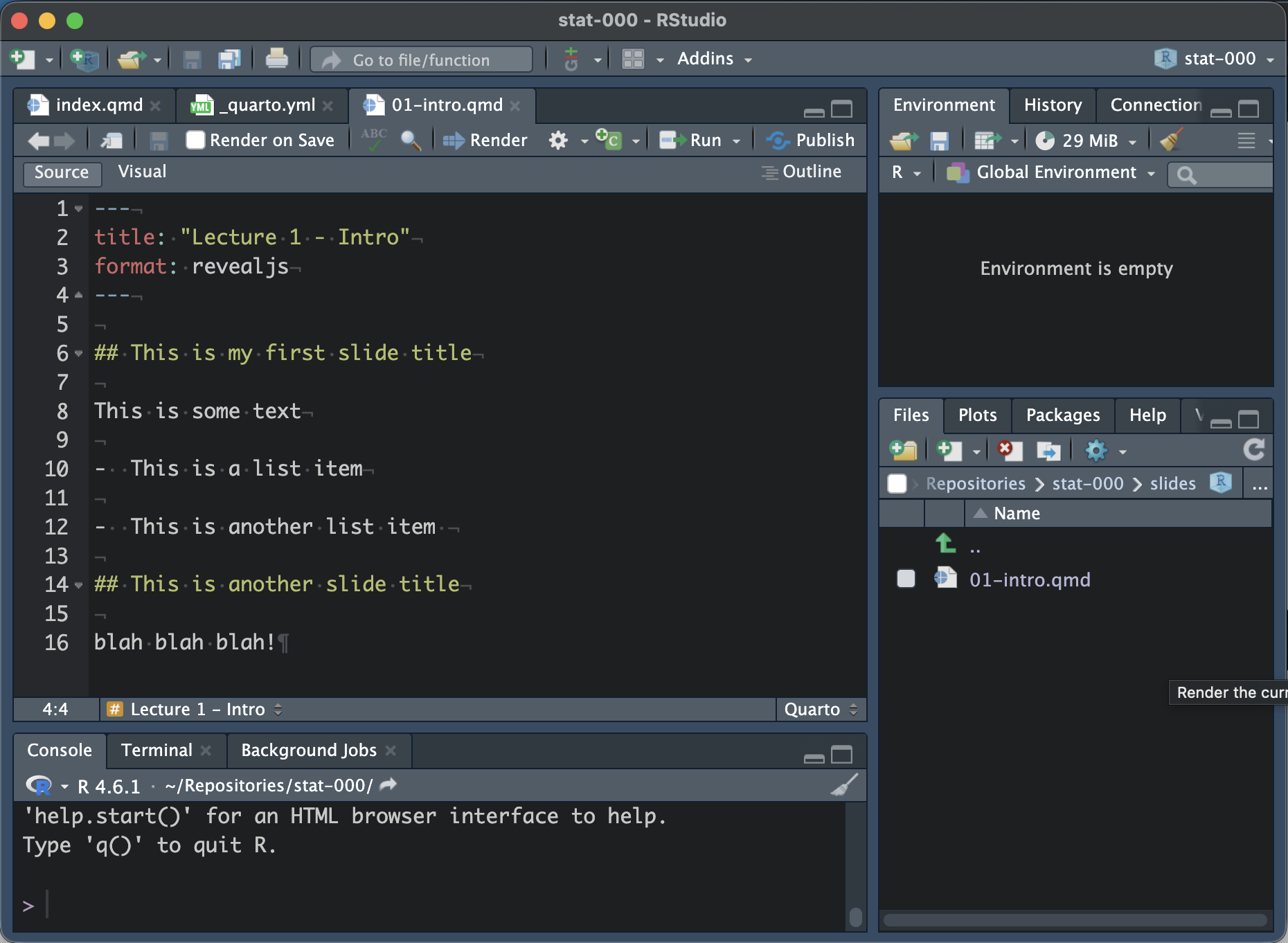
  • Create a folder called slides and add 01-intro.qmd

  • Update the output format to format: revealjs

  • Update the title

  • Write some slides with level two headers (##)

Hit the render button to see what it looks like!
Step 5: Host on GitHub Pages

  • Run quarto render in the terminal to render entire site

  • Create a repo (I prefer the usethis package with use_git() and use_github())

  • On your GitHub repository, go to Settings > Pages. Set the branch as main and the folder as docs and click save.

    • Wait, refresh, and visit your live site!

Step 6: Install webr and Quarto live

  • In the terminal, run quarto add r-wasm/quarto-live

  • Trust the extension and allow changes by running Y twice. You can view documentation if you’d like.

Now, a _extensions folder will appear with r-wasm and live folders nested within it.

Step 7: Set up webr and Quarto live

In your slide file (01-intro.qmd):

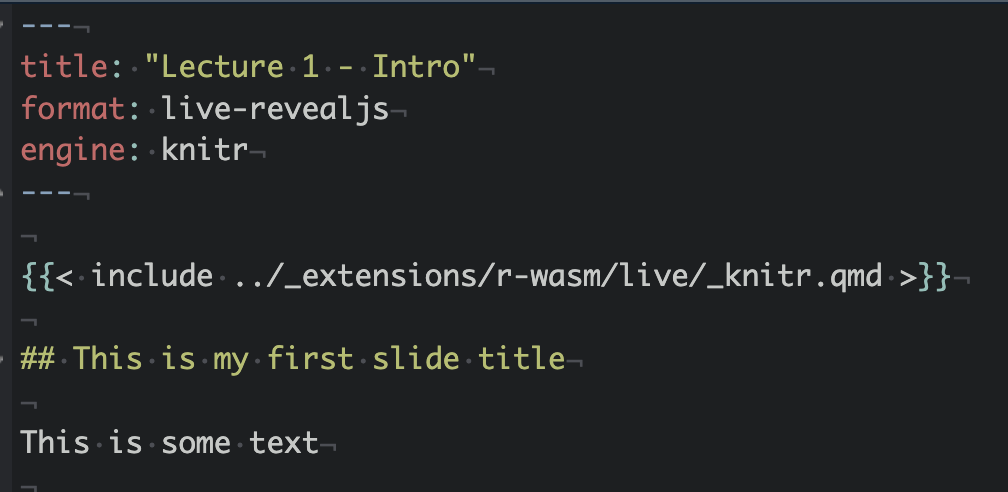
  • Change the output format to live-revealjs and add engine: knitr in the preamble.
  • Add {{< include ../extension/r-wasm/live/_knitr.qmd >}} directly under the preamble

Step 8: Create executable code cells

  • Add the following code to the bottom of your 01-intro.qmd file:
quarto render

git add . git commit -m "adding executable cells to lec01" git push
origin main

Wait for GH Pages to sync and refresh your site.

Final Thoughts

Reflections

  • My students loved the Quarto slides in DSCI 100 and the work of converting them from RISE to Quarto was relatively minimal.

  • I use Quarto for most course content, and it saved me from the Great Canvas Attack of 2026

  • Quarto also can use Python code chunks! (plus… Positron, the next gen RStudio allows you to code in both R and Python)

  • Quarto 2 is coming soon! It will have more collaborative features and will be re-written in rust so that rendering is nearly instant.

Recommendations

  • Provide students with scaffolding of code (do you want to type 10 lines of ggplot code every time you plot something?)

  • Provide datasets in the slides with


format: live-revealjs: resources: - data/gapminder.csv
  • Set slides to be scrollable by default OR text to be smaller with

format: live-revealjs: scrollable: true smaller: true

Recommendations

  • You can change the owner of the repo to an organization (i.e. UBC-STAT or UBC-DSCI) under the “Danger Zone” in the repository settings

  • (revealjs only - I think??) Create hidden blocks with

---
title: Lecture 10
format: 
  revealjs: default
  pdf: default
---

::: {.content-hidden when-format="revealjs"}

[your solution which is only shown when rendered to pdf]

:::

Wrap-up